Saving Vault App Design
Savings Vault is an app that helps users manage, track, and grow their savings. It also lets them monitor expenses, making it easier to identify areas to cut back. It was mainly targeted for the students as they faces issues in managing their expenses.

Problem
Statement
Gen Z often faces challenges with saving money due to factors like lack of discipline, limited financial education, and fewer responsibilities. The solution should go beyond tracking savings by empowering users to save more and spend less. This can be achieved by analyzing spending patterns, setting realistic saving goals, and providing tools to make smarter financial decisions.
Major problems students encounters -
• Lack of financial discipline
• Difficulty in tracking spending patterns
• Saving goals feels overwhelming & unachievable • Lack of motivation to save


What did I do?
Discovery
Competitor Analysis
User research
Ideation
Design Process
User flow
Wireframing
Prototying
UX Design
Solution
High-fidelity wireframing
UX Design
UI Design
Design system
Usability testing
Saving Vault empowers students to build healthy money habits, avoid overspending, and start saving early, turning financial stress into financial control.



User Personas
With the help of understanding the pains & needs of different types of students, an application that really solve their problems can be created.

Himanshu
B.tech Student, 23 yrs old
Aarav is a third-year engineering student living away from home. He receives a fixed monthly allowance from his parents, which he tries to manage for food, rent, outings, and personal expenses. However, by the end of every month, Aarav often finds himself short on money and unsure where most of it went.
Pains
No clear idea of where the money goes
each month.
Struggles to stay within a set monthly budget.
Uses multiple payment apps (Paytm, GPay, Cash), difficult to consolidate all spending.
Needs
Monthly spending summary with visual insights.
Option to set budgets and get reminders before exceeding limits.
Syncing of multiple payment modes for unified tracking.

Riya Sharma
Design Student, 21 yrs old
Riya is a second-year design student living in a shared apartment near her college. She often spends on art supplies, café hangouts, and online subscriptions for design tools. Although she tries to save, her spontaneous purchases and irregular spending patterns make it difficult to manage her monthly budget.
Pains
Finds expense tracking apps too dull or complex to use daily.
Hard to keep track of shared expenses.
Feels guilty after realizing she spent too much mid-month.
Needs
A visually engaging and simple app to track daily expenses.
Smart notifications to avoid overspending.
Option to split and track shared expenses with friends.
User flow
Button
Information

Design System
48 px
48 px
24 px
24 px
24 px
16 px
16 px
24 px
Grids & Spacing
Colors & Gradients
#FA31A8
PRIMARY
GRADIENT
#B404F8
SECONDARY
Fonts & Typo
Gilroy
Regular
Medium
Bold
AaBbCc
ABCDEFGHIJKLMNOPQRSTUVWXYZ
ABCDEFGHIJKLMNOPQRSTUVWXYZ
1234567890!@#$%^&*(),.;’/?”:
Final Design
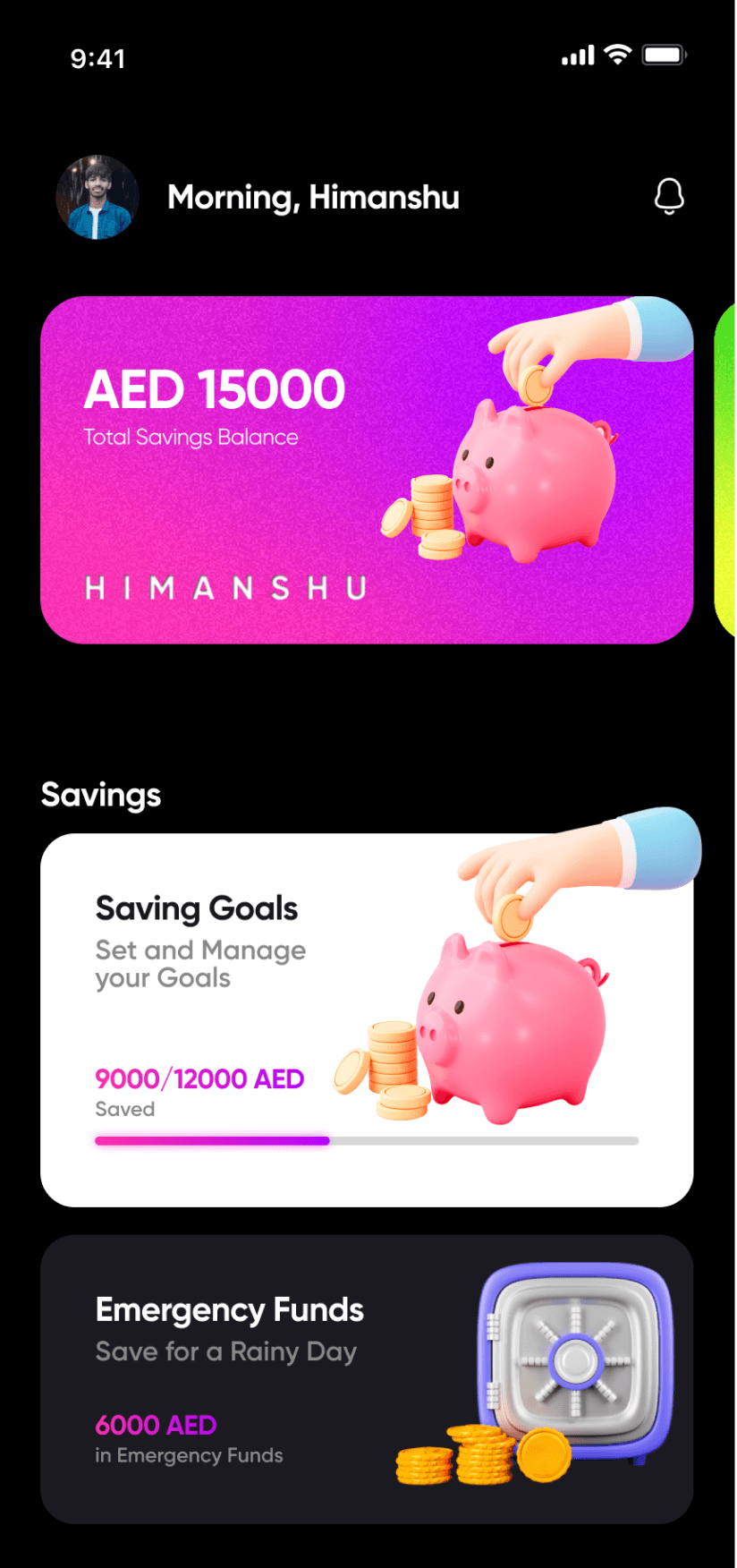
Saving Goals
Add or Manage your Savings Goal. Get saving insights.
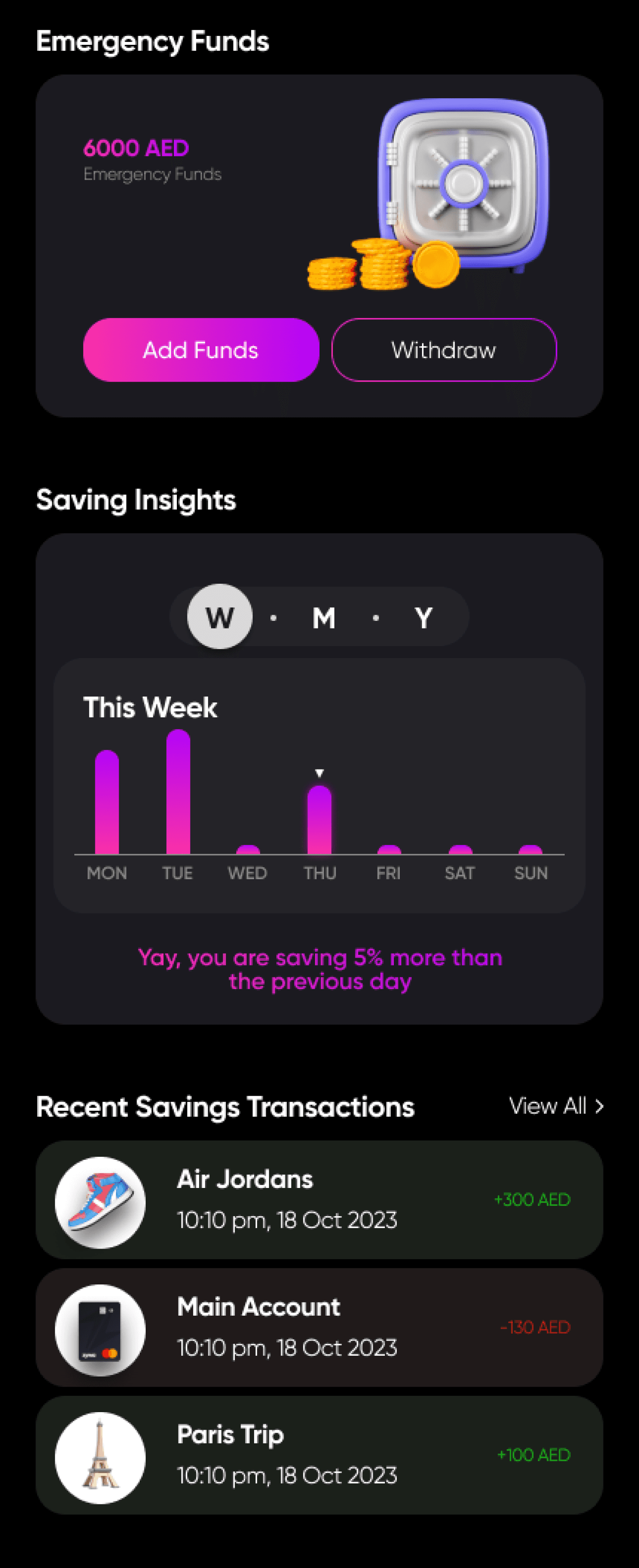
Emergency Funds
Add your extra savings for emergency.






Expenses
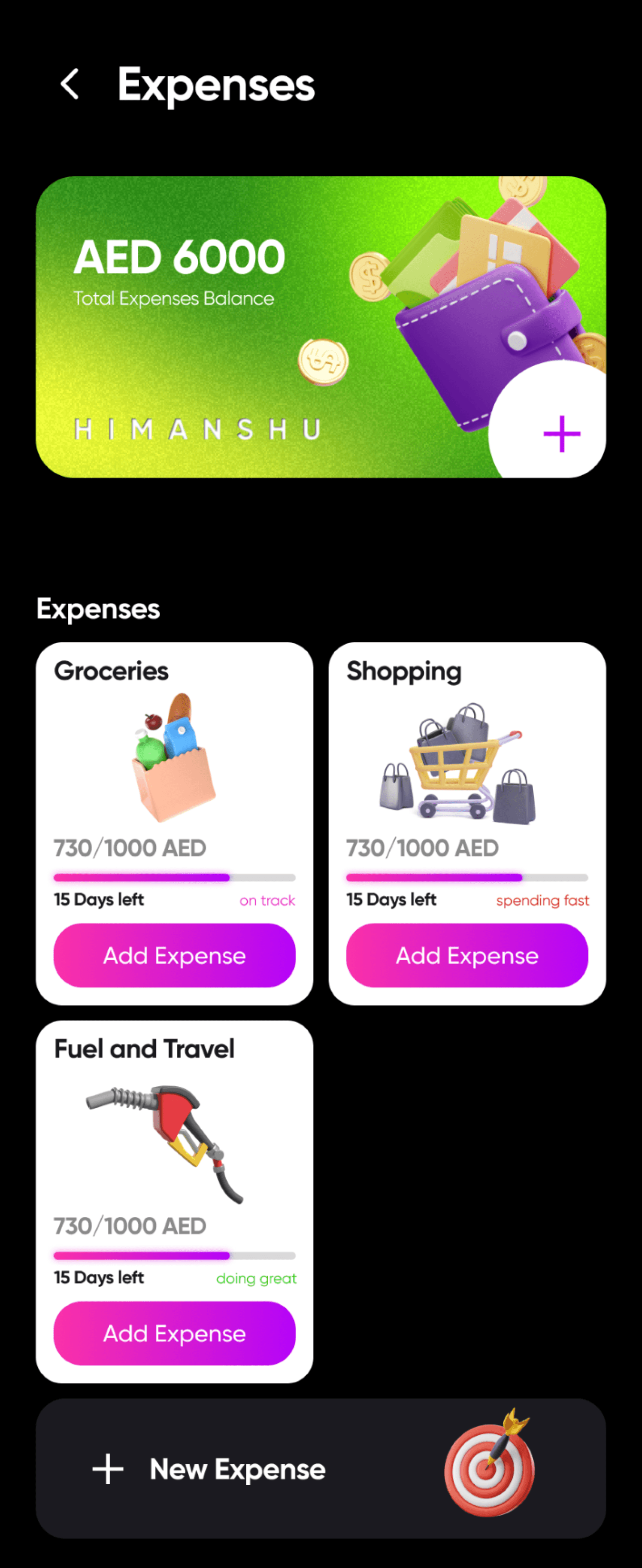
Add or Manage your Expenses. Get expense insights to find areas to cut off expense.
Current Saving goals
Manage your saving goals. Add or withdraw savings.
Manage Funds
Edit, Add or Withdraw funds from your Emergency Savings.
Expense tracking
Add expenses manually or by scanning the bill to track monthly expenses.
Subscription
Manage your all subscriptions in one place.
Saving Insights
Get insights about your current savings.
Goal tracking
Oversee your savings Goal.
Add money or set auto-debit to
add savings automatically after
specific set intervals. Also add
more people to your saving goal
for group savings.